storylane
The pb-storylane component embeds Altium Storylane interactive demos. It comes in three forms, all shown below:
- With poster preview: a poster image and CTA that loads the demo in a popup only on click.
- Embedded inline: the demo is shown directly as an iframe - always visible and self-contained.
- Via onclick on any element: any button or link can launch the popup through a Storylane.Play() handler.
Backend note: loading the Storylane script
It is critical that the backend includes the loader script https://js.storylane.io/js/v1/storylane.js exactly once per page, and only when a Storylane embed or trigger is actually present. Adding it to every page is wasteful, and adding it more than once can break the popup.
Recommended approach in Drupal:
- Register the script as a Drupal library and attach it with
#attachedfrom the Storylane component / paragraph template - never globally. - Drupal de-duplicates attached libraries, so the script is printed only once even when several Storylane blocks render on the same page.
- Because the library is attached only when a Storylane element renders, pages without Storylane never load the script.
Storylane with poster preview
This variant shows a poster image with a hover overlay and a call-to-action button. The interactive demo is not loaded until the user clicks, which keeps the page lightweight and opens the tour in a popup via Storylane.Play(). It is the best choice when the demo is optional or secondary content. The popup loader script (js.storylane.io) must be present once on the page.
In this poster-preview form Storylane is reused across many places on the site, embedded inside other sections rather than as a standalone block. For example, it can appear inside pb-features rows or within s-colored-tabs panels, so a tour can be opened in context next to the relevant feature or tab. The markup and behavior stay the same - only the surrounding section changes.
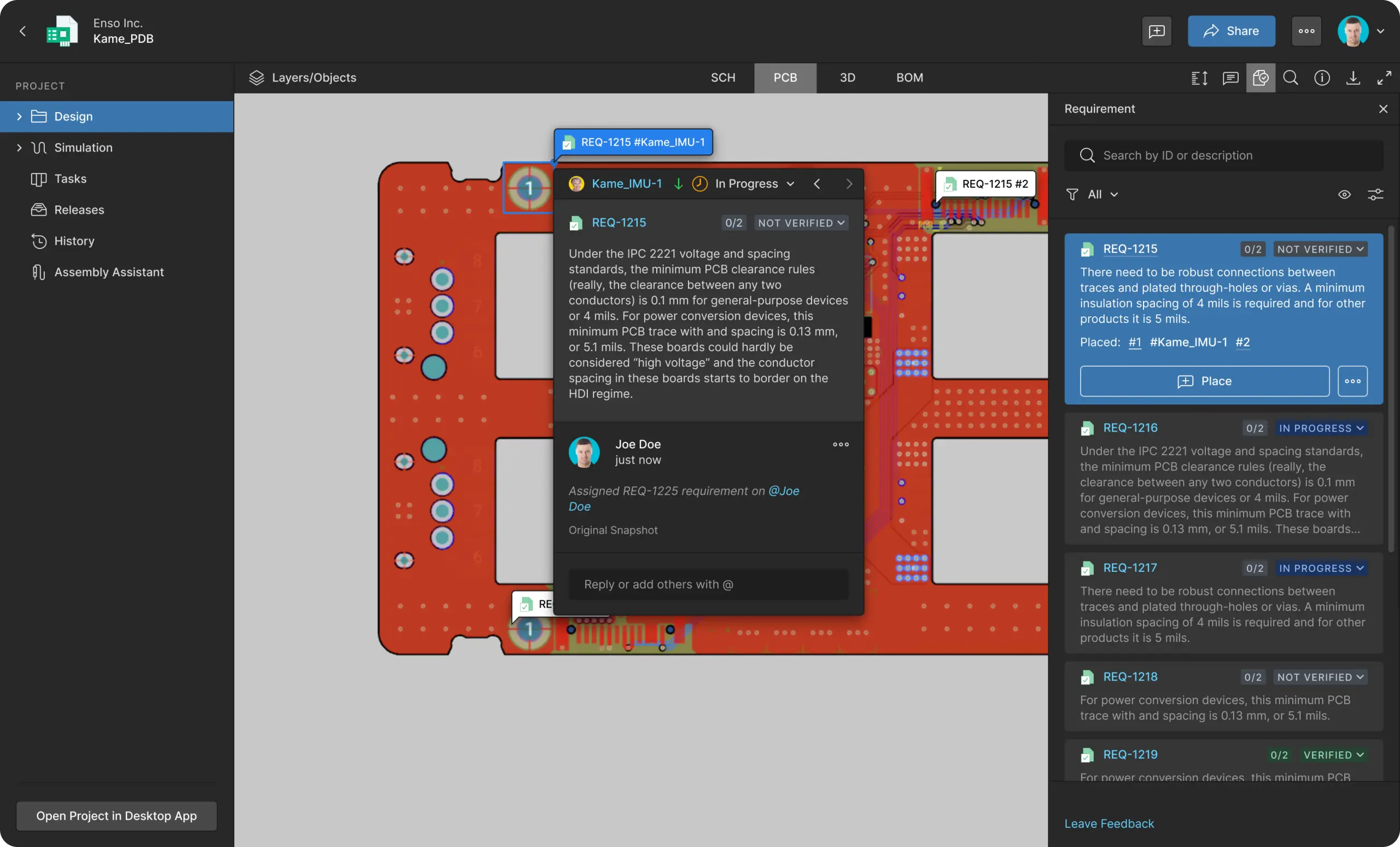
Storylane embedded inline (no preview)
This variant embeds the Storylane demo directly on the page as an iframe, with no poster image or click-to-open overlay. The interactive demo is visible and playable immediately, so it suits sections where you want the tour front and center. The iframe is self-contained — it needs no extra loader script — and keeps a 16:9 aspect ratio while scaling to the container width.
Storylane via onclick on any element
Storylane can be attached to any element (button, link, or custom markup) by adding an onclick handler that calls Storylane.Play(). No poster or iframe wrapper is required — the same demo can be triggered from a primary button, a secondary button, or a plain text link. The popup loader script (js.storylane.io) must be present once on the page, and for links use return false to prevent the default anchor jump.